Categories
Geek / Technical Personal Development

Code Katas Shouldn’t Be Called Katas

I’ve told a few people this over the years, but I hate the term “code kata.”

More accurately, I hate that people call code katas what would otherwise just be “programming problems.”

In martial arts, a kata is a choreographed routine that teaches and reinforces form and movement. Here’s a short video that shows a beginner’s kata. You can see that the stance, the punching, and the blocking moves are repeated in different transitions. A practitioner would do that kata the same way each time.

The goal? To internalize the movement so it becomes second-nature, so that outside of a kata there is less need for conscious thought when deciding what move to do. The position of the head, hips, and shoulders, the movement of the feet, and the general stance of the practitioner are all things that might feel unnatural and forced at first. Repeating the katas help make it feel natural.

Code katas, on the other hand, don’t usually look anything like a martial arts kata. There’s a problem statement, and you are left to solve it on your own.

They are great exercises, and the more famous ones are at CodeKata.com. I think they are helpful for a developer to gain experience with the hard work of software development, which is mostly thinking.

But the word “kata” implies a form to repeat.

Uncle Bob Martin’s bowling game kata, to me, is a kata, because it’s purpose is to teach the red-green-refactor cadence of test-driven development.

For people new to TDD, it’s a great way to learn how to test-drive the design of code. One of the subtle lessons is going through the design upfront and then discovering at the end that the code’s implementation is simpler and doesn’t necessarily look like the initial design. But the important part is writing a test first, writing just enough code to make it pass, and then refactoring out any duplication. Over and over.

I’ve done the bowling game kata a few times, and I’ve seen Uncle Bob demonstrate it twice. The TDD form was always the same, but it wasn’t rigid and mindless. It was helpful to have the slides and follow along, especially as the original kata was implemented in Java and I was doing it in C++. I had a guide that gave me the feedback I needed to know if I was on the right track. “I moved on to the next test, but I see the next slide had us refactor. Whoops. I forgot the refactor part of red-green-refactor.”

Contrast this code kata with what usually passes for a code kata: “Here’s an interesting problem statement. Solve it.”

There’s no guide. There’s not usually a right or wrong way to solve it. And when you do it, there’s no feedback that lets you know you did well or where you need more work. It’s just a programming problem or puzzle.

And while they are useful, I wouldn’t call them katas.

Unfortunately, we’ve had code katas for long enough that I don’t see this name going away anytime soon.

What’s your opinion on calling them “code katas”? Am I missing something subtle about them that makes the name appropriate?

Categories
Game Design Game Development Geek / Technical Personal Development

Development Strategies for Game Jams #LDJam

As I play and rate Ludum Dare games, I see that games fall into a few groups:

  • Highly polished games that feel complete
  • Highly polished games that feel incomplete
  • Unpolished games that feel complete
  • Unpolished games that feel incomplete

By complete, I mean they have all the elements of a game: an objective, conflict, rules, unpredictable outcomes, endings, etc.

By polish, I am referring to the production quality. There’s few bugs, the aesthetics are cohesive, and everything feels balanced when you play it.

So how do you make a highly polished and complete game in 48 hours? What tips and tricks are developers using?

Make It Playable as Fast as Possible

Games are complex systems in action. You can’t design a game well unless you playtest it because it isn’t always obvious how the rules of a game interact. Making something playable early means you have more time to test it as you add, remove, or change mechanics. You also have time to make decisions, such as whether to kill planned features or spend time on making the controls feel better.

I’ve found that when I fail to submit a game to a Ludum Dare, it usually coincides with a game that either has no game play or gets the bare minimum of game play added at the very end. I have no time to play and see how the game feels, which means that even if I get it done on time, it’s more likely to be an unpolished and incomplete tech demo.

On the other hand, when I focus on getting something playable early, such as during Ludum Dare #24, it’s a game from the beginning. It might start out unpolished and incomplete, but by the deadline, even if I don’t get all the features I wanted in there and I can identify glaring problems, I have something to submit. For my entry for the theme Evolution, I didn’t get to add the features that take advantage of the theme, but I recall how sluggish the tank felt to move and I spent a little time tweaking it until it felt better to play. When you killed the enemies, I had points float up above their heads. I’m not saying it was a beautiful game, but it was more polished than most of my entries have been. And it didn’t have everything I wanted in it, but what was in it felt complete.

Ideally, your work in progress will be easy to deploy to other people so they can play test it and give you feedback. You might think the game is fine, but you’ve been immersed in it for hours and might miss how difficult it is for someone who hasn’t seen it before. Your game is ultimately for other people to play, so their feedback is very important.

Know Your Tools

If someone gave you a complex tool you’ve never seen before, you’d probably muddle through how to use it, but it would be slow and painful.

On the other hand, if you were given a tool you’re familiar with, you no longer need to worry about how to use it as it is almost second-nature. You can focus on the task in front of you instead of focusing on how to use the tool.

Years ago, I struggled with making programmer art in GIMP. I wrote code. I didn’t art.

Partly from learning during previous Ludum Dare compos, partly from talking with artists about their workflow, and partly from practicing outside of compos for my own projects, I learned how to do things I normally need to do during a game jam. For instance, I use layers, preferably named ones, to make it easier to create a complex image. I know how to scale images and layers with fewer artifacts. I know how to use an alpha selection to get an online of an image, and I can grow and shrink selections so I can create a silhouette or a border. I even learned common shortcut keys so I can quickly switch from the Pencil tool, the Bucket Fill tool, the Rectangle Selection tool, and the Ellipse Selection Tool, which saves me time.

I remember reading the manual for Applesoft BASIC and learning that instead of typing out:

PRINT “HELLO, WORLD!”

you could type out:

? “HELLO, WORLD!”

And that question mark would automatically get turned into the PRINT command. The manual mentioned that it saved four keystrokes and time. At the time I wondered how much time it could possibly save, but since I was typing PRINT almost all the time, I realized that it added up.

Today, knowing your IDE’s shortcuts similarly helps. As my friend Chris Freeman said in his presentation on refactoring, tools reduce cognitive load. Instead of using the mouse to hunt and click on everything in menus, you ideally should be able to unconsciously move your fingers to the right key combinations to make things happen. It’s like learning how to ride a bike or drive a car. Once you get the hang of it, you no longer focus on where your feet are. When you want to move forward, your feet automatically know what to do.

During a game jam, you don’t want to spend time reading a manual or searching online for help. You want to just DO things that move the game forward.

For my first Ludum Dare, I was learning how to use libSDL, and luckily I kept the scope of the game down because I knew I wasn’t going to be able to do very much. I spent a lot of my time figuring out what SDL provided and how to write code to take advantage of it.

For the latest Ludum Dare, I was often very pleased with how even major code changes compiled on the first try. I was much more familiar with the language and with the interface of my tools such as Vim and Gimp.

Come up with a Plan

You’re two hours into a 48 hour compo. What are you working on now?

With only two days of development, it might feel like you don’t have time to plan. Every moment not working on game development is a lost opportunity.

But planning saves time, and it doesn’t even have to be very complicated to be effective. There’s no need to create a Gantt chart for your project.

Some game developers create entire detailed design documents to keep their thoughts organized, and other developers use nothing more than a list of planned features that they cross off as they get implemented.

But what about time?

You could work on one thing at a time until it is all done, but the risk is that the later items don’t get done at all. What you don’t want is to find yourself with an hour left and realizing that you forgot to implement a way to end the game or that your game is completely silent.

Some people try to get a good chunk of the game done early so that the rest of the compo is spent on balancing and adding polish. Some developers set aside blocks of time, such as a couple of hours, to creating sound effects.

Other people understand that their energy levels are going to be different throughout the day, and when they are too exhausted from programming, they can switch hats to creating graphics or music. Einstein actively relaxed by playing the violin, and you could do worse than emulate him.

No matter how you plan your two days, having that plan gives you more insight into what to do at any given moment so that you have the best chance of submitting a finished game.

Your Tips?

I’m not saying I’m an expert, and I still feel like I’m learning how to pace myself and put together something. But after participating in 10+ Ludum Dare game compos and a handful of other game jams, I think I’ve gotten some worthwhile experience to share.

I should probably invest in The Game Jam Survival Guide by Christer “McFunkypants” Kaitila.

What are your strategies when participating in a game jam? How do you ensure your game is complete and polished before the submission deadline?

Categories
Game Design Game Development Geek / Technical Linux Game Development Personal Development

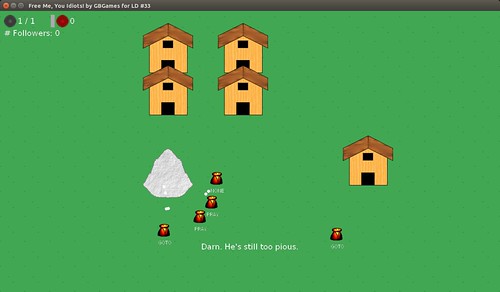
LD33: Free Me, You Idiots! Ported to Android! #LDJam

Shortly after I ported my Ludum Dare game to Windows, I ported it to Android! You can download and install the .apk now and play on your phone or tablet. I’ve updated my LD#33 compo entry.

Here’s a handy link to explain how to install an app outside of the Google Play store.

LD#33 Game Play

Warning: it’s not really optimized for mobile yet. It pauses when idle, but it doesn’t pay attention to the back button, so you’ll have to long-press the Home button then swipe it away to close it.

Categories
Game Design Game Development Geek / Technical Linux Game Development Personal Development

LD33: Free Me, You Idiots! Ported to Windows #LDJam

I’ve updated my Ludum Dare #33 compo entry with the Windows version of Free Me, You Idiots!. Now most of the world can play it!

LD#33 Game Play

Next up: fixing my Linux-based entry so that it uses a non-custom install of SDL2.

Categories
Game Design Game Development Geek / Technical Linux Game Development Personal Development

LD33: Free Me, You Idiots! Development Time Lapse #LDJam

Want to see the last 48 hours compressed down to a little over 3 minutes?

I uploaded the time lapse video of my development of Free Me, You Idiots!:

You can find the final submission at http://ludumdare.com/compo/ludum-dare-33/?action=preview&uid=251. Thanks for playing!

Categories
Game Design Game Development Geek / Technical Linux Game Development Personal Development

LD33: SUBMITTED! #LDJam

I did it!

With 15 minutes to spare, I submitted my entry for LD#33, Free Me, You Idiots!

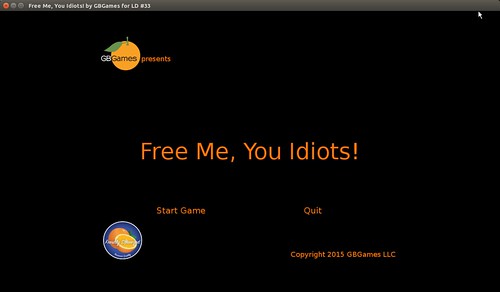
LD#33 Title Screen

It has no sound, and there is a lack of challenge which makes it hard to call it a real game, and the UI feedback is lacking to let the player know what is going on, but it’s complete and playable.

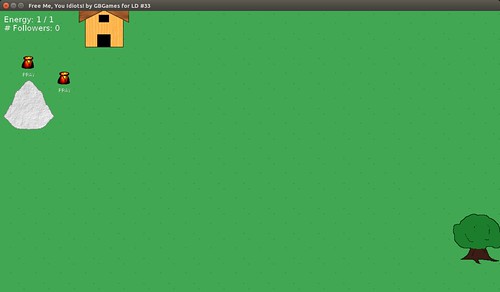
LD#33 Game Play

It’s also quite complicated! I created a simple yet effective goal-based artificial intelligence, a little economy, and upgrades. The thing I wish I had was direct conflict between the good and evil villagers.

But I’ll have more to say when I write the post-mortem.

For now, check out my entry at Ludum Dare, and if you submitted your own entry, please rate my game.

I’ll create a Windows port, soon. You can download the game for:
GNU/Linux (459K)
Windows (2.8MB)
Android .apk (3.6MB)

Congratulations to everyone who submitted a game! It’s been a fun weekend, and I look forward to playing your games!

Categories
Game Design Game Development Geek / Technical Linux Game Development Personal Development

LD33: We’re Getting Tired, but We’re Gonna Make It! #LDJam

I wasted precious time last night trying to create an animated GIF of the game so far, but it was either terrible quality or took up hundreds of MBs, and so I gave up and went to bed.

LD33 2nd Breakfast

This morning I had peanut butter, raisin, and banana sprinkled with cinnamon on toast for breakfast with my trademark orange juice. Starting the day off right!

By my calculations, I’ve put in almost 15 hours of development towards this project, 12 of which came from yesterday.

We’re in the last 12 hours of Ludum Dare, and we’re starting to get tired.

LD33 We're getting tired

And while I have interactivity and have been toying around with it to ensure that things are working correctly, I don’t have a game yet. The player can’t do anything to meaningfully impact the game world, but the AI is having fun, I’m sure.

The AI needs to be there for this approach to the game. If the villagers don’t have their own goals and activities, then the entire premise of the game is thrown out the window because you are trying to influence their activities towards benefiting your own ends. But I can’t build an entire self-running simulation no matter how much fun it is take on that challenge because then there won’t be any time left left to allow the player to do anything but watch.

So my focus today will be on adding meaningful play. What can the player do that makes sense and gives good feedback? I’ve been thinking about and designing this aspect throughout the compo, and now I need to manifest it.

I will add that I do have another concern. This game is about being the personification of Evil and convincing the followers of a good deity to follow and worship you instead, allowing you to break free of your prison.

What it isn’t about is blasphemy, but in my attempts to add humor by poking fun at how moronic the villagers are, I worry that the game comes across as my indictment against organized religion. It’s not, but my intent isn’t necessary for it to be offensive or to act as a model for how people should act, so I need to make sure that I’m super aware of how the game could be received. I’m not the kind of person who throws his hands in the air and says, “It’s not my fault you interpreted this quickly-thrown-together game in this way.”

Games matter, even 48-hour ones.

Categories
Game Design Game Development Geek / Technical Linux Game Development Personal Development

LD33: Ok, This Might Work Out After All #LDJam

LD#33 Praying Villagers

Last time, I said I probably couldn’t do a goal-based AI and so I was settling for a simpler state-based AI.

Well, I did a quick look at my last LD project, and I realized I had implemented a really simple goal-based AI. It’s kind of clever, and I implemented my own version of it for this project.

So now I have villagers who walk to the deity of their choice and pray, or go off exploring the world. I eventually want more behaviors, such as fleeing and bringing objects somewhere, but we’ll see if I need to.

I want to go to bed, but not before I ensure that the timelapse picks up something more interesting than a static screen.

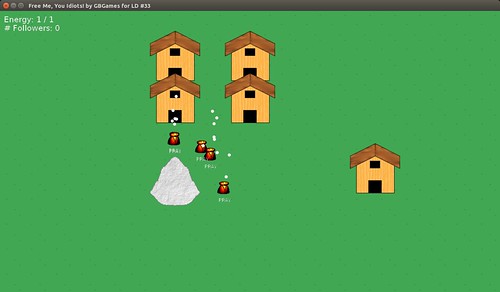
LD#33 Visibly Worshipping Villagers

I put together a quick particle effect for when the villagers are praying to make it clear what they are doing. White particles are for good prayers, and black (not pictured) are for evil prayers.

20 hours left. Assuming my power doesn’t go out due to the storm, I think I have a good chance of getting something submitted in time.

For now, good night!

Categories
Game Design Game Development Geek / Technical Linux Game Development Personal Development

LD33: This Is the Point Where It Can All Go So Horribly Wrong #LDJam

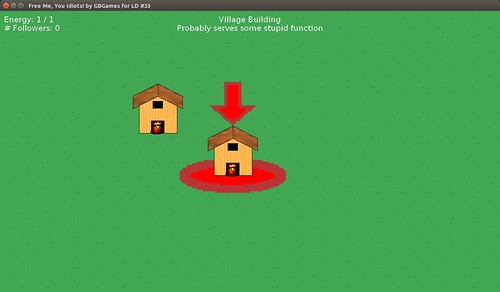
We’re coming down to the end of the first 24 hours, and I can move around the world and select entities.

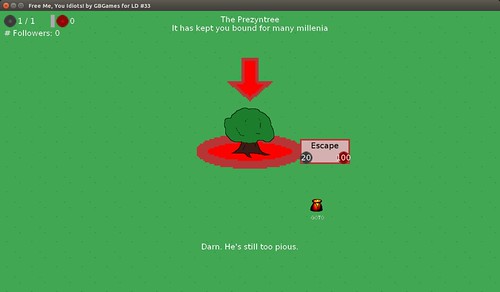
LD#33 Selection and HUD

Unfortunately, I’ve been struggling with getting them to do anything interesting. The villagers stand still because I haven’t given them a means of doing anything, nor do they have a reason to do anything yet.

That is, it’s coming down to how complex of an AI I want to create.

As is my pattern, I wrote down everything I could think of that I might want them to have as goals, with the idea that I would streamline it later. I want the villagers to think, “I want to explore, but I also have chores to do, which is a higher priority. I’ll go tend the farm, then explore. Tending the farm means I need to get myself to the farm, then work the farm.”

But then I realized that a hierarchical goal-based AI might be a bit too much for me to chew off. I mean, I could do it, but oof. How much time would that take to debug, amirite?

So I think I’ll go with a simpler state-based AI. While the full version of Stop That Hero! uses a goal-based AI to great effect, the Ludum Dare #18 (Enemies as Weapons) version did decently well with a state-based AI. The entire game worked with only three states, and one of them was AI_DEAD. So it’s doable and simple, which means it is faster and I can focus on the rest of the game sooner.

Hold on to your butts. It’s gonna get hacky.

Categories
Game Design Game Development Geek / Technical Linux Game Development Personal Development

LD33: Lunch Break and Progress Shots #LDJam

I came up with a name for the game. Originally, I wanted Imprisoned, but a quick search online found it was a somewhat popular name for a game.

So the name is now Free Me, You Idiots!, in the hopes that the game will actually feature some humorous personification-of-evil-interacting-with-morons action when I finally submit it.

In order to save time on art, I made simple solid colors with minor touches to indicate grass and water (water not pictured). I would have gone with solid colors, but now I can tell the camera is moving around the world.

To make a villager, I am just going to have a single sprite represent it. If I have time to create four or eight sprites to represent the different directions it could face, I’ll do it later.

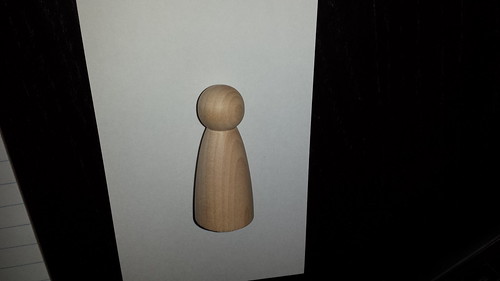
So I took one of my wooden Mans:

A Soon-to-be Villager

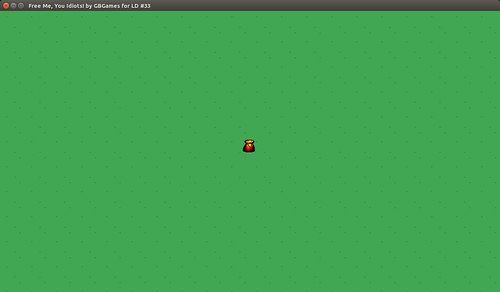
pulled it into Gimp, adjusted the brightness and contrast, and added some eyes and an outline for a cape, and scaled it to 32×32 to create the little guy you see in the middle of this field:

The Villager in-game

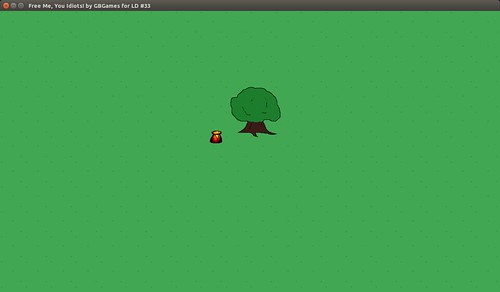
As for the tree that imprisons you, I tried to make one, only to realize that the one I created in the mock-up looked a bit better, so I just took it and scaled it:

The villager next to your prison

Then I rewarded myself with lunch:
Peanut Butter, Raisin, and Pickle Sandwich

That’s my trademark peanut-butter, raisin, and pickle sandwich with cinnamon sprinkled in it.

No, I’m not pregnant. Why does everyone ask that?

What you can’t see pictured above in the screenshots is that the camera pans to wherever you click in the world. It’s a bit jarring, so I should probably worry about slowing down the interpolation at the end, but that will wait for polish time later.

But at least now you can navigate the fairly boring world.

Next up: I want to interact with the natives. The player should be able to select objects/entities by clicking on them, which opens up a menu and provides relevant stats in the HUD.