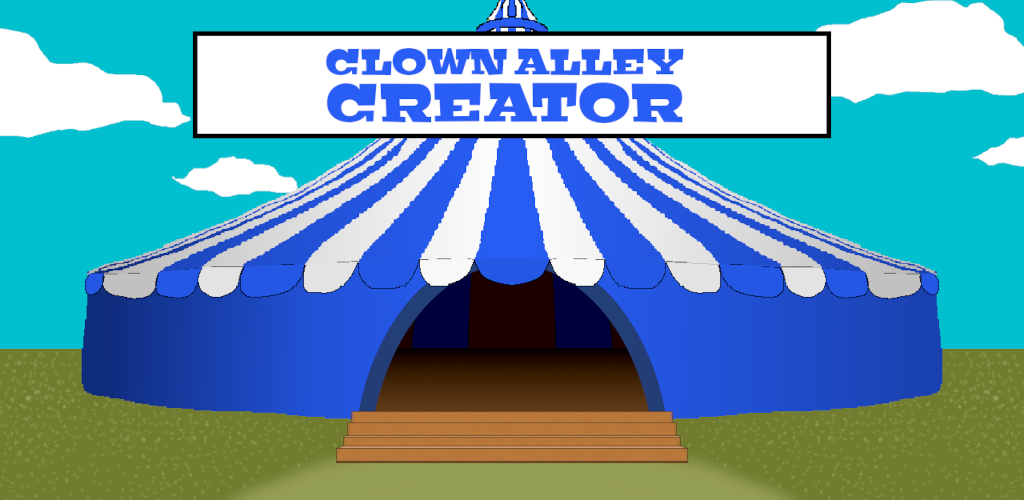
About a year ago, I released Clown Alley Creator, a family-friendly creativity tool that allows you to populate your own clown alley, after roughly nine months of development. It was my second published Freshly Squeezed Entertainment project.

What’s a Freshly Squeezed Entertainment project?
Freshly Squeezed games were meant to be quickly created and given away for free.
The idea behind giving away free games is that I want my games to have as little friction finding their audience as possible, and if enough demand exists for a particular game, perhaps I will create a “deluxe” version for sale. In other words, rather than guess at what random strangers might want based on trends and fads, I’m trying to find and get faster feedback from the people who would be interested in playing the kinds of games I am creating.
My first Freshly Squeezed Entertainment project, Toy Factory Fixer, was originally intended to take only a month but ended up taking an entire year. See the Toy Factory Fixer post-mortem if you want to know what lessons I learned from that project.
For this second project, I made a more realistic plan and schedule. I originally thought it would take me six months, but I ended up only a few months over. It’s an improvement in terms of being more predictable and holding myself accountable to my goals.
So a year later, I finally got around to writing the Clown Alley Creator post-mortem. Let’s find out what went right, what went wrong, and what lessons can be learned from my time on this project.
What Went Right
- Getting advice on game production gave me some insights.
This item and the next one are related.
Clown Alley Creator wasn’t actually supposed to be my 2nd Freshly Squeezed Entertainment project. I had worked on a different project, a non-violent, first-person role-playing game called The Dungeon Under My House.
It was supposed to be a 6 month project, but I canceled it after 20 months of development. I wrote a post-mortem for The Dungeon Under My House as well, in which I documented something fundamental that went wrong: I had a conflict between what I wanted (a game finished in six months) and how I was carrying on (working as if I could just keep going until I was finished).
That is, I managed the project too loosely. I allowed individual features to take as long as they took to develop, and I just kept putting one foot in front of the other. I did not make a big upfront design and plan because I trusted I’d be able to do the planning just in time.
That approach would actually work just fine if I had no concerns about finishing and shipping games with any sort of regular cadence, but it wasn’t serving my business needs. If I wanted to publish my games at a regular cadence, I needed to do something different.
So I booked an hour to chat with Dora Breckinridge to talk about production and scheduling and some of the woes I had with TDUMH. Partly based on our discussion, I decided to shelve the project.
When I started working on Clown Alley Creator, I took a lot of her insights and advice to heart.
I still didn’t want to make a highly detailed plan upfront, but this time, I tried to identify everything early on and figure out roughly how much effort things would be. I would often get surprised by things I hadn’t identified before, and I wanted to try to make sure everything was in front of me so that I could make better decisions about my scope and schedule.
It has been painful in the past to realize that I have work that I didn’t identify and then needed to make time for. It’s a lot less painful to see everything I want to do and then make decisions about what won’t make it in due to time constraints.
Making such decisions is especially important for me, a solo indie game developer who is not working on the project full-time. I can’t afford to have a project go on indefinitely, and I have agency to make sure it doesn’t.
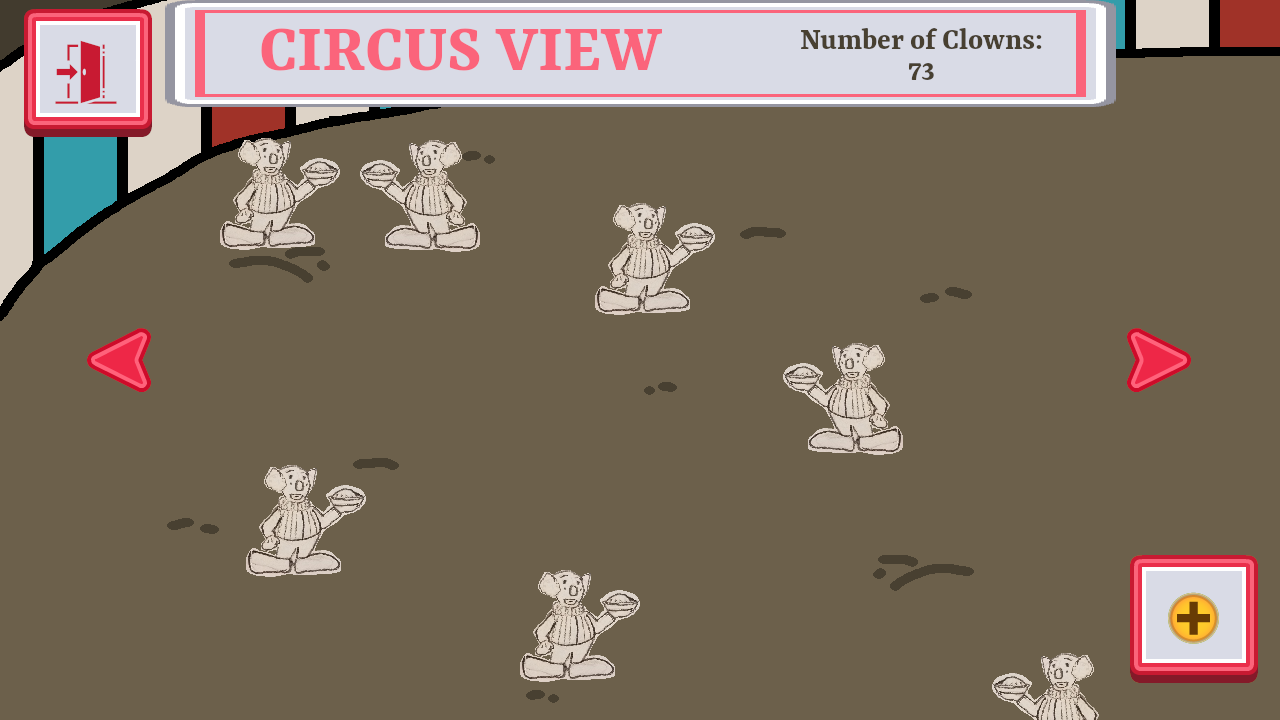
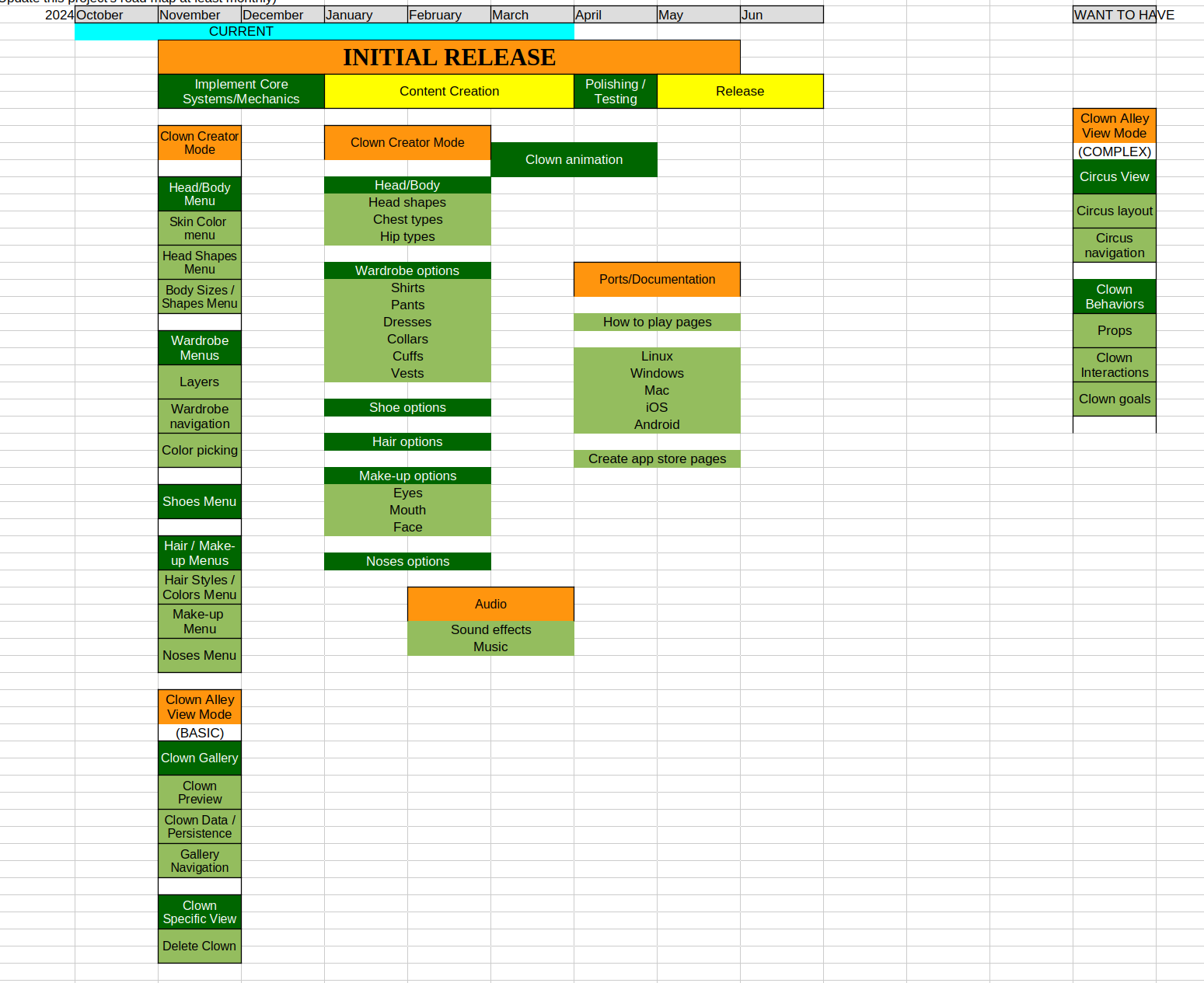
For one example, Clown Alley Creator was originally meant to have a Circus Mode, in which your clown creations would walk around and interact with each other and any props they come across.
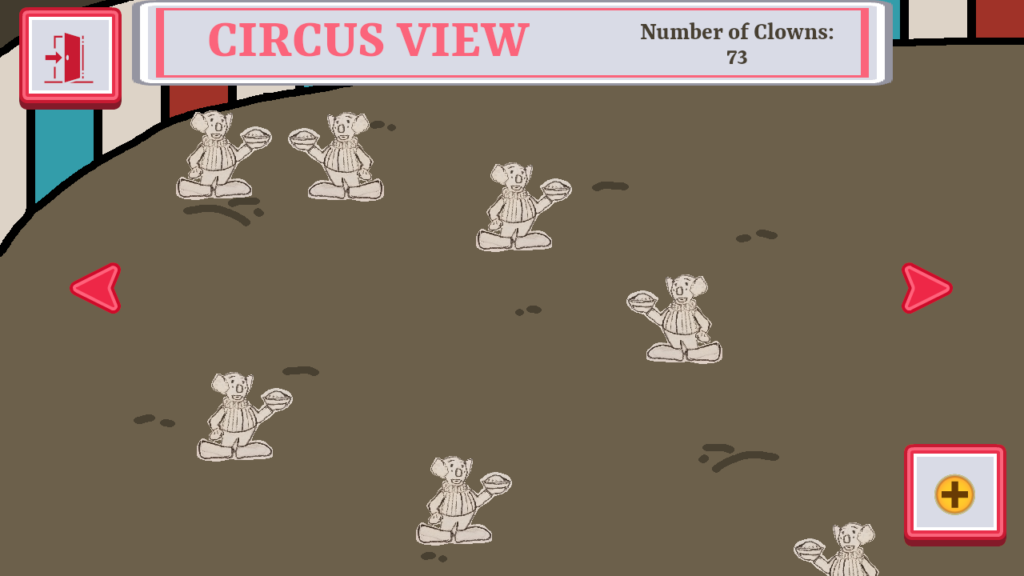
But I realized that to make it work would require a LOT more effort. Having autonomous clowns move about would require animations, collision detection, pathfinding, goal management, and more.
Drawing clowns with multiple orientations would require a lot more sprites for each customizable option. For instance, a patchy pair of pants would need sprites for facing each direction I would like to show. Even if I restrict a clown to only facing forward, I would still want to show the clown moving left or right, and not every option is symmetrical, so I couldn’t just do a sprite flip in an effort to save some time and call it done.
Then to add interactions with props such as bowling pins, squirting flowers, and banana peels on top of all of that? It was just too much for me to reasonably get done.
Luckily I recognized it early on and decided to cut the circus mode entirely, even though I thought it would be very cool. I just did not have capacity to work on it, so I decided not to plan to do so.
The project was a lot more limited in scope compared to what I had originally envisioned, but I was confident I could finish the limited scope in a reasonable time frame.
- Treating my project schedule and road map as important helped me make decisions on scope.
Normally I work day to day, week to week, until the project is finished. Every week, I make a plan to work on a feature or a set of features, and I work until it is done. Sometimes a feature takes longer than one week, so I just carry over unfinished work to the next week.
Again, this approach works fine if I am not concerned about a final deadline. It takes as long as it takes. But this approach is also why I have had one-month projects take up to a year to complete.
This time, I created a rough roadmap. I basically gave myself a couple of months to make the core of the game functional, then three months for content creation (I have to draw all of the sprites, and there were a LOT), then a month or two for polishing/testing and creating the store pages and such before release.
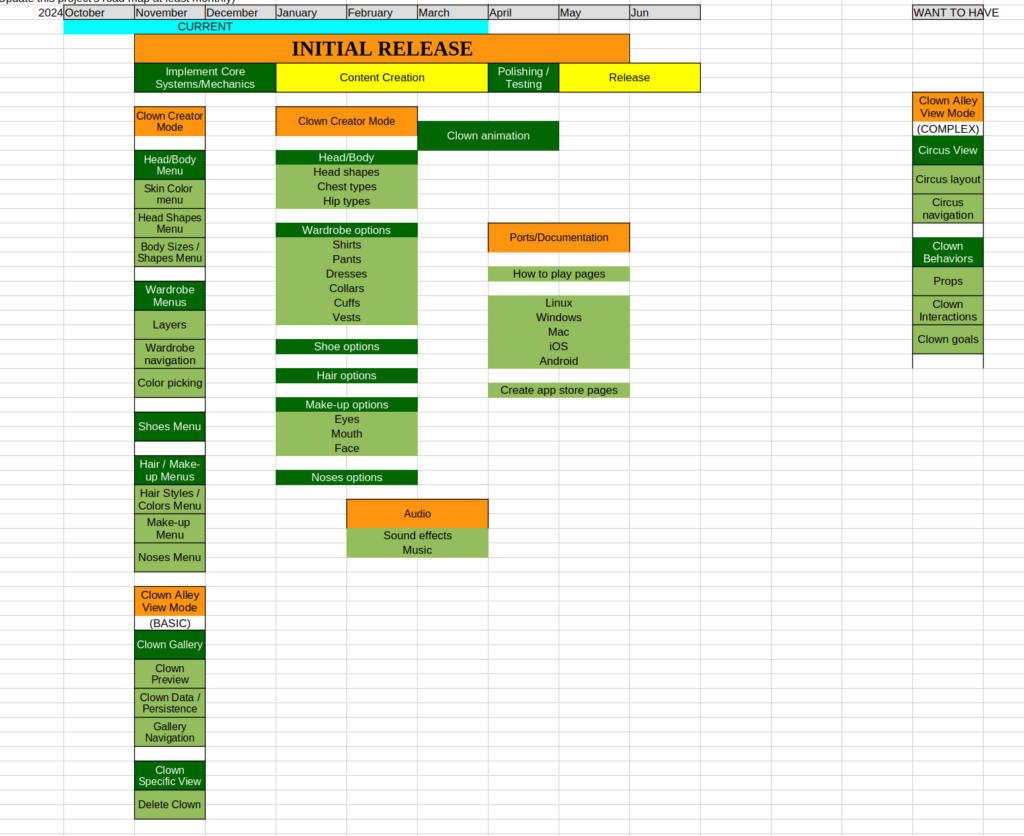
One of the pieces of advice Breckinridge gave was that I should have clear cutoff dates to keep to my schedule. If I want to ship a game in six months, by the fifth month I should be polishing and fixing bugs. I shouldn’t still be designing and developing new core systems and mechanics.
As someone who has been practicing Agile software development for a long time, I already have a lot of the know-how to get things done with a tight schedule. Knowing that I need to have a certain set of features completed by a certain point, I can create what’s known as a thin slice for each of them. That is, I can implement the functionality in such a way that it is complete, even if minimal.
If I have more time, I can flesh it out more, but if I don’t have time, then I can still move on knowing that I have the basic feature in place.
But by constantly checking the schedule against my project’s actual progress, I was able to make the plans for my week and day in ways that served the larger plan. I was no longer hoping I could get a game finished by a certain time. I was actively managing the project so I could do so.
- The game was “done enough” throughout most of its development.
I had a six month schedule that I more or less followed well, but the project took nine months anyway.
And yet I maintain that I had something shippable as early as the first few weeks of development.
I even wrote about how I realized the start of the project wasn’t prioritizing the work in an Agile way in one of the early weekly updates: Freshly Squeezed Progress Report: Navigation Menus…and an Agile Course Correction.
Instead of just splitting up a project into pieces and then working on those pieces, instead of hoping that by putting enough finished pieces together that they will eventually become an integrated whole (and more likely have extra work trying to make it actually integrated as a whole), I could approach each piece of work as contributing to the whole in an incremental and iterative way. I could create the spine of the project, then continually add more and more to the bones while both maintaining and building a functional whole the entire time.
And aside from an early misstep to prematurely create a menu that stuck around for the length of the project (see below in What Went Wrong), by and large each time I worked on something, it made the project feel more integrated and whole.
I rarely had something half-done, waiting for something else to be done before it could function correctly.
Now, it doesn’t mean Clown Alley Creator was always completely polished and ready to be sent to reviewers. It just meant that if I had to stop for some reason and publish the game in whatever its current state would be, I technically could.
In fact, within weeks of my Agile course correction, I was acknowledging that the spine of the game was done.
I had a fairly productive week, and I am very, very pleased to say that I finished making the game already.
Or at least the spine of the game.
What I mean is that the work I did this week cut across almost all aspects of the project.
As of today, you can start creating a new clown, choose from among a few customization options, then save the clown with those options, then view your creations in the clown alley gallery.
That’s pretty much the scope of this project. Anything else after is content and polish, with perhaps some extra features if I decide I have time for it.
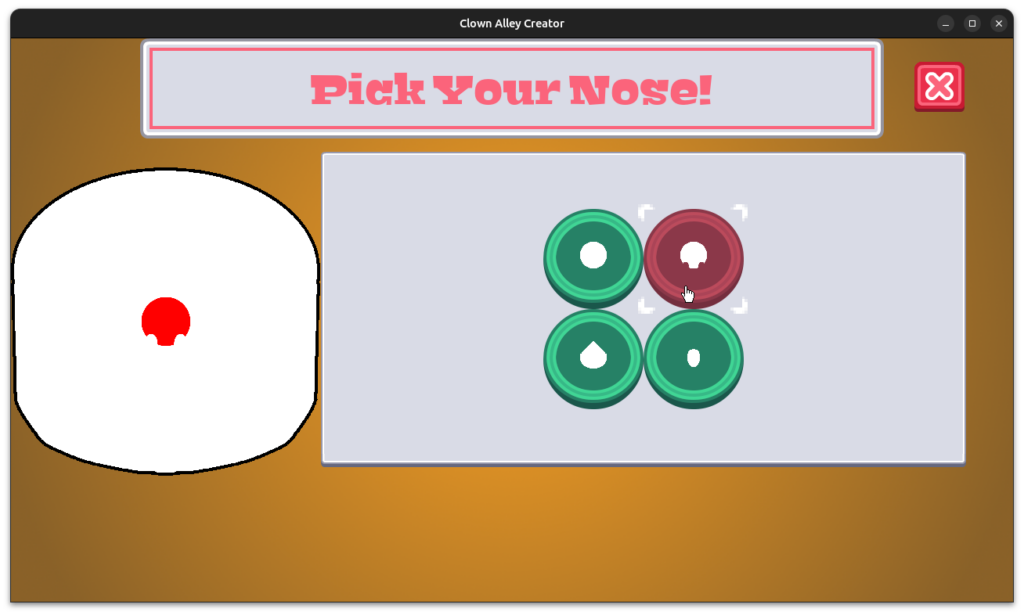
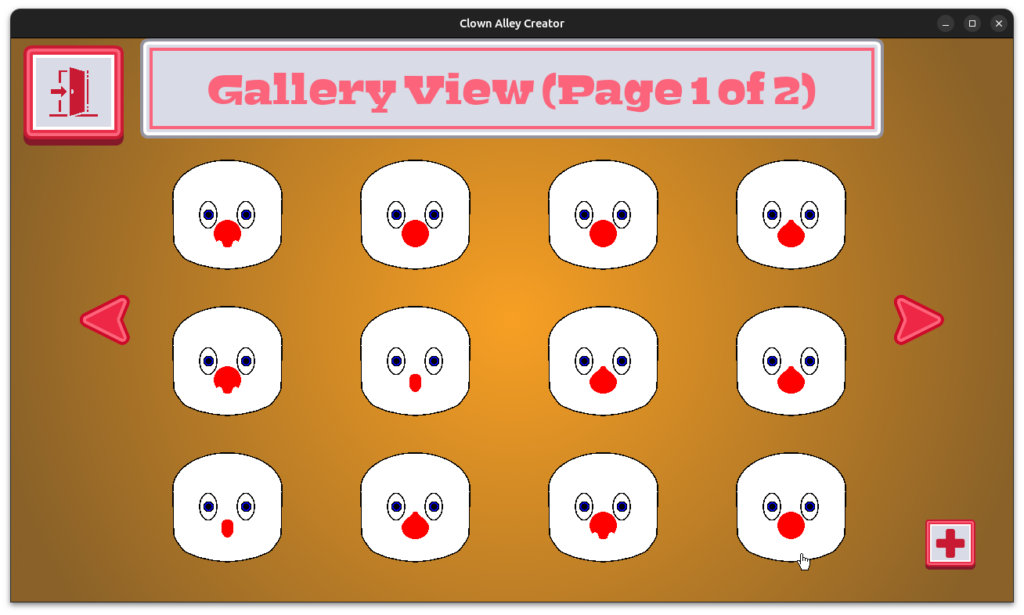
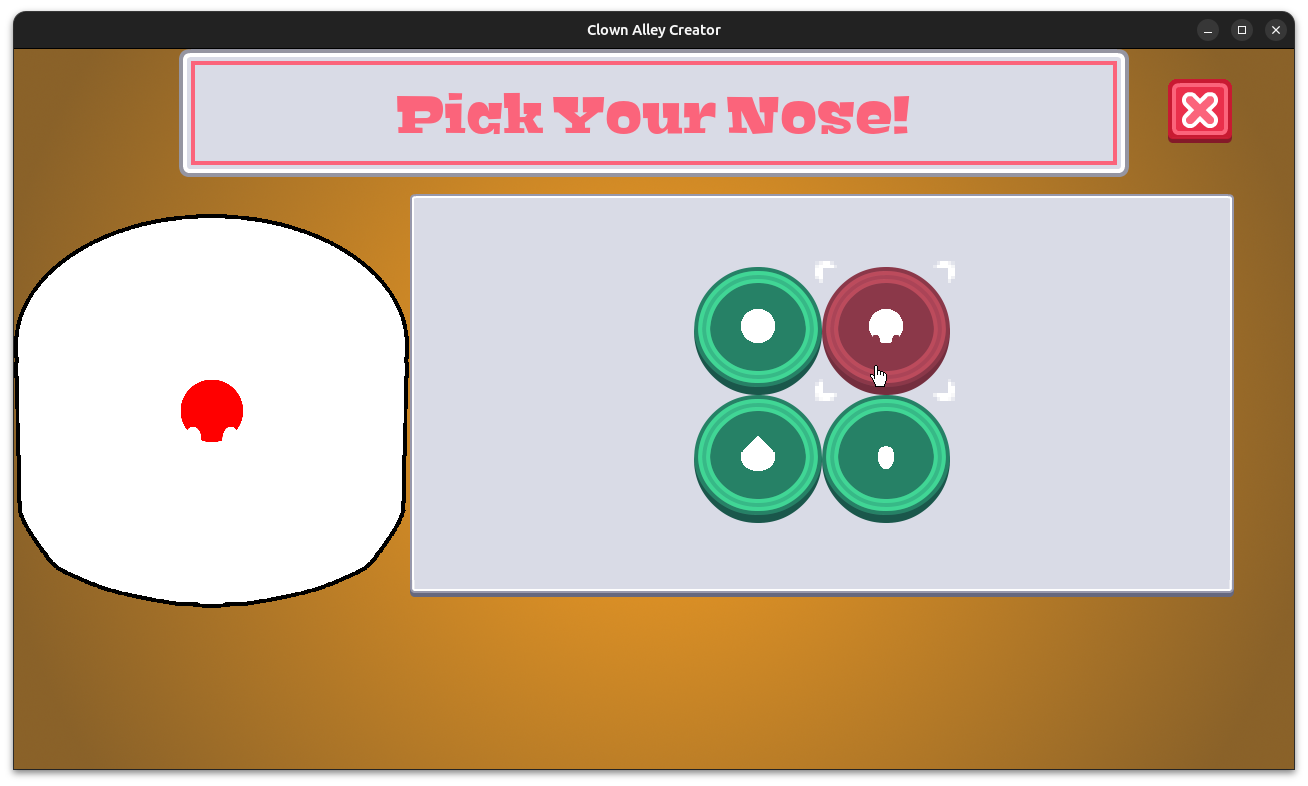
By this point, the only thing you could do was create a clown and choose from among four different nose options. It’s not very compelling to play with, but the point was that it could be delivered to someone to play with in the first place.
Lots of projects, especially large scale projects involving hundreds of people across dozens of teams, don’t come together until the very end. Integration can be painful, and sometimes it ends up consuming more of the schedule than original development did.
But even large projects can benefit from continuous integration and an approach to development that focuses on incremental and iterative value.
Some game developers talk about “finding the fun” as early in a project as possible, which is great advice!
But I’m talking about managing the decisions of what to work on, when to work on it, and how to work on it so that you “find the done” as early as possible.
For this project, which I started in October and is all about creating and viewing clowns, it was already able to do so by early December.
Almost everything else was basically adding content, polishing, and playtesting.
And the certainty that I could always ship for the remainder of the project gave me a lot of confidence, especially after the open-ended TDUMH project took 20 months before I stopped it. I estimated that it would have taken at least a year longer in effort to make something shippable, which probably meant it would take even longer in actuality since making estimates is notoriously inaccurate.
- Even a little animation went a long way toward making this game feel accessible.
On a static screen, how do you know what to interact with? Even if a button is there, it is possible you’ll miss it if it looks like the background scenery or if you aren’t paying attention.
So to invite players to interact, I make sure that pretty much every menu button periodically animates.
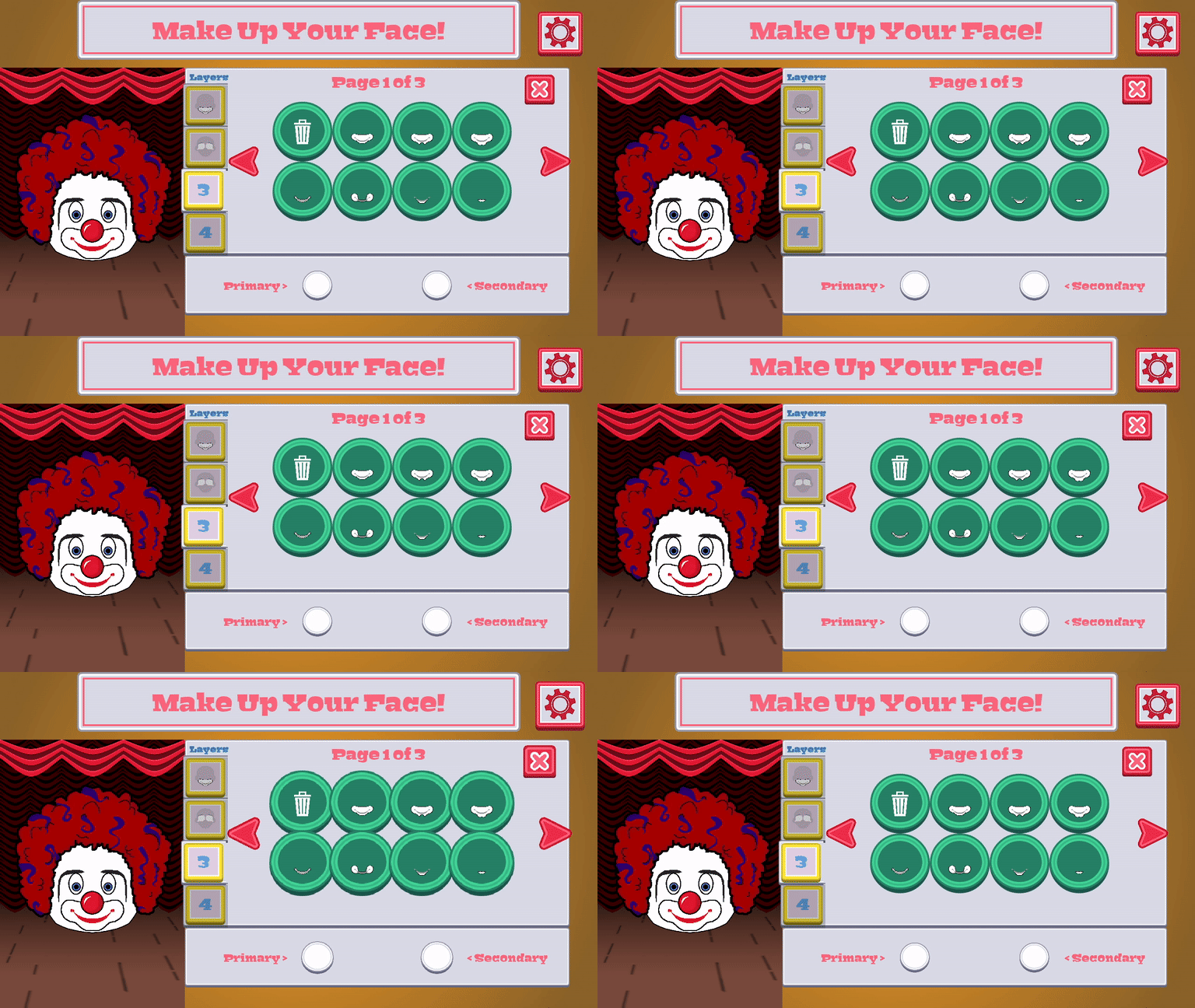
It’s subtle, but it works well.
After I had published Toy Factory Fixer, I remember showing it off at a festival, and I noticed that some players were confused about what to do.
So I added some large arrows and instructions for the first level. You can’t miss it, and if you know what you’re doing already, you can ignore it.
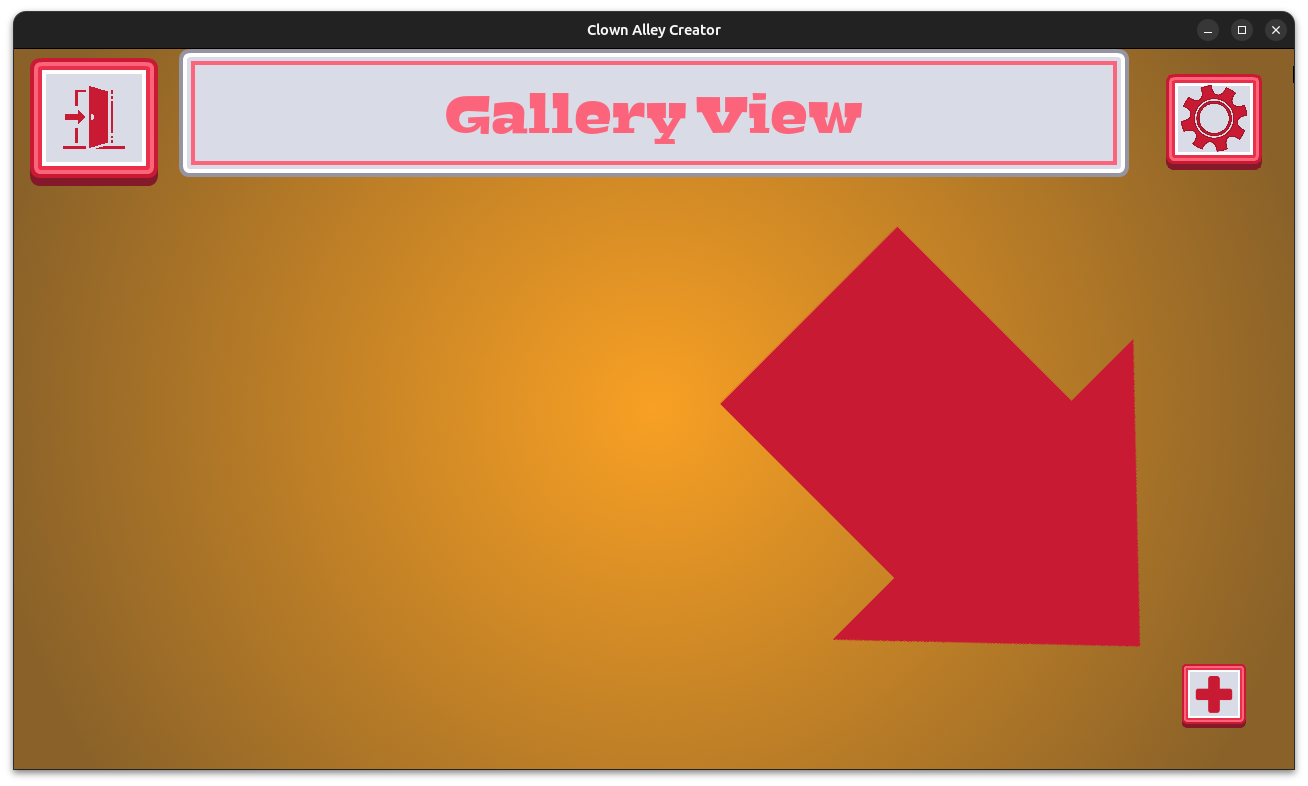
I knew something similar would be needed in Clown Alley Creator. When you start the game from the main menu, it takes you into the Gallery View, but when there are no clowns, it’s empty. You need to create your first clown, but that requires knowing to push the “+” button at the bottom right.
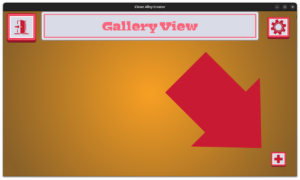
So whenever the gallery is empty, there is a giant arrow pointing at the button. It has a simple animation to emphasize what it is pointing to. It works great!
My favorite animation looks great, might not be noticed by most people, and involved some code to pull off.
Originally I wanted to have unique transitions whenever you choose a new option for your clown. When choosing a new hairstyle, I wanted the clown to look like they were sitting at the barbershop or the salon. New make-up should be applied with a giant powder puff slammed into the clown’s face. A bird could fly in to drop off a new nose and take the old nose away. Things like that.
I wanted the act of creation to be silly and fun. But it would have involved a lot of effort, which translates into a lot of time.
So I instead created a simple curtain animation to be used for all of the transitions. Each time you make a change, the curtain closes, then reopens with the clown’s face revealed to have the new change in place.
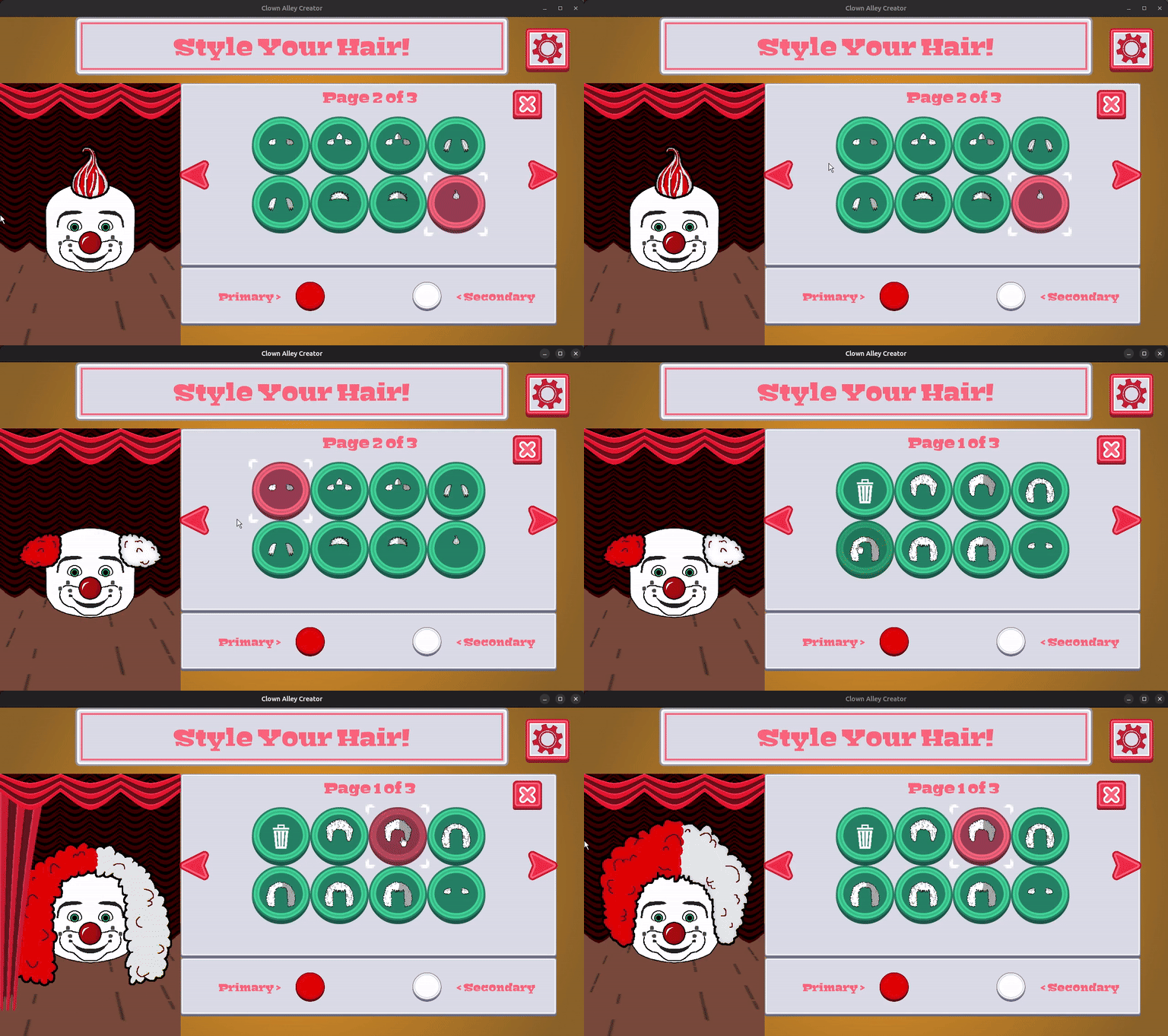
How did I pull it off?
I just drew a curtain sprite one row at a time, with each row drawing the growing length of the curtain a little delayed from the previous row. That is, if the top of the curtain moves to the right at a certain speed, the next row is a little slower, and the bottom is delayed the maximum amount.
It looks like a curtain with some weight being dragged across a rod at the top. It happens quickly, so it looks like a nice swishy curtain effect.
I didn’t need shaders or a well-drawn set of animation frames. I just needed one image of a curtain and some relatively simple code.

I still wish I could have done some of the more elaborate transition animations. I even wanted a pigeon to pull the curtain closed and another to open it.
(Pigeons again? Yeah, I like pigeons as well as clowns. And clown pigeons are the best).
But the simple animations do their job to give the game some life and help the player to get feedback on what they are doing.
- Working on a concept I enjoy was motivating.
As I’ve said ever since I announced the start of the Clown Alley Creator project, I like clowns.
I love clowns. I loved watching Bozo and Cooky when I was a kid, and I loved seeing the clowns whenever Ringling Bros and Barnum & Bailey Circus came to town.
I have had a soft spot for clowns ever since reading a newspaper article from many years ago that said that there was a clown shortage in the world. And I think clowns get a bad rap because so many people only see them in horror movies or as creepy villains in games anymore.
But real clowns are entertainers, using laughter to create a real impact on society. There’s a rich history to clowning that I’m still digging into as both a fan and as the developer of a game that will feature clowns.
And I find it strange that there is a real lack of games that feature clowns in a good light. My hope with this next project is to improve that situation.
Almost everything about this project was enjoyable. The research into historical and famous clowns was fascinating. Learning about make-up and costuming and circus poster design and various acts…it was all too much fun for it to be considered just work.
While most of my research was about things before my time, some of it was nostalgic for me. I remember seeing the Ringling Bros and Barnum & Bailey Circus when they performed at the Rosemont Horizon, so learning more about the logistics of how a circus travels meant I had a greater appreciation for what it took to give me such great memories.
After the game was released, I got to visit the International Clown Hall of Fame and Research Center in Baraboo, Wisconsin, which was the original home of the Ringling Bros Circus. I had spent a lot of time on the ICHOF website while working on this project, so being able to visit in person was definitely a memorable way to cap it all off.
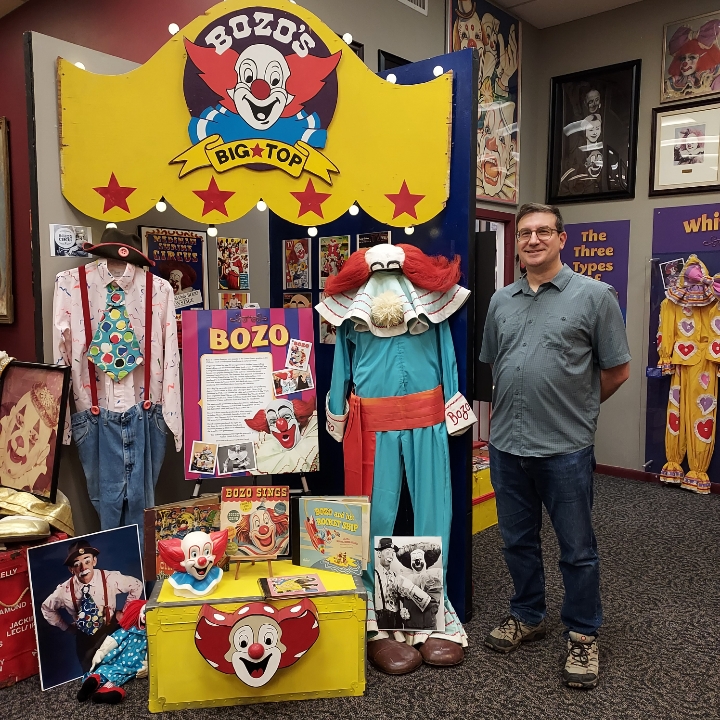
I don’t currently have plans for any new clown-based games, but I feel like I learned enough about clowns to give me reasons to maybe sneak a clown character into any future games.

What Went Wrong
- The game featured an unusable menu for a long time.
Remember when I said that most of the time when I worked on something, it made the game feel more complete and whole?
Well, I messed up early on in the project, and I think it is worth digging into how I messed up and what the ramifications were because it is likely to lead to the most important lesson to learn from this project.
When I originally started working on this project, I had intended that the player would create full clowns, not just faces. That is, I wanted the player to choose wardrobe options, including clown shoes, as well as physical dimensions for their clown such as height and weight.
So I anticipated the need to navigate a menu with submenus. I had spent time looking for menu icons in some art assets I had access to, choosing or modifying some to represent the different categories of options I’d present.
Within weeks, I had this menu implemented. Each menu was blank, but I could just fill them in as I added features. The Hair & Make-up Menu eventually got an option to go to the Nose Selection menu, for instance.
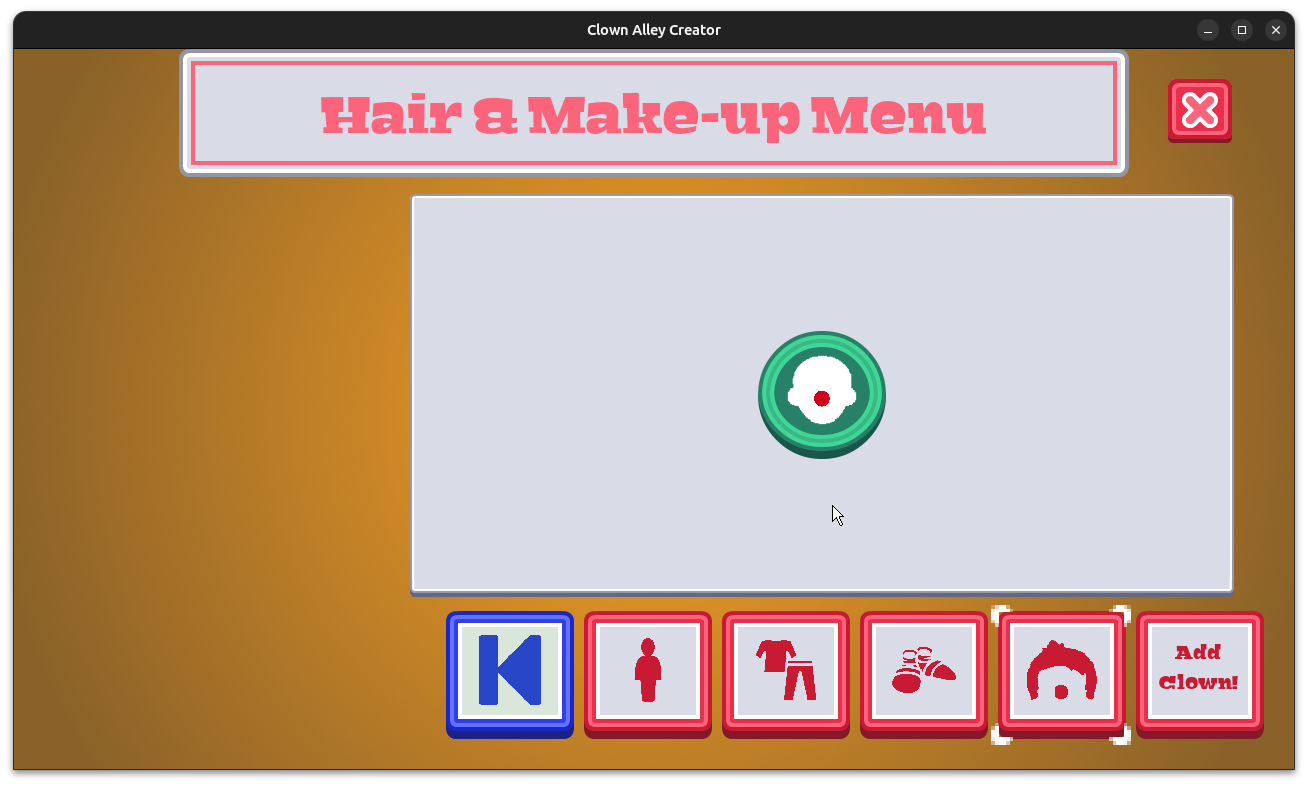
Now, it is easy to see that things would flesh out, that eventually all of the menus would be available.
But let’s see what actually happened. The Head & Body Menu got an option to go to the Eyes Selection menu. Then a Hair option was added to the Hair & Make-up menu. Eventually I added Make-up to the same menu, and you can pick the skin tone of your clown in the Head & Body Menu.
So I had four top level menus, only two of which had any options.
And for some reason, I struggled to find the options I cared about for the entirety of this top level menu’s existence. I just kept clicking the wrong top-level menu to find the submenu I was going for.
By this point I had long decided that I wasn’t going to create the circus mode with animating clowns, and I also decided to focus on only clown faces. So I had top level buttons for wardrobe and shoes that I wasn’t going to use.
I eventually got rid of those two, but the other top level buttons stuck around for a long time. After all, I already implemented the top level navigation menu. What was I going to do? Rip it out?
But it was premature for me to make that menu when I made it. If I wasn’t cutting scope and trying to get the game finished in a reasonable time, I could see the “fleshing out” approach working. Just keep adding functionality until all of the menus are filled.
And with that approach, it wouldn’t matter what order I did things in. All of it would get done eventually, right?
But I wasn’t pretending I had that kind of luxury anymore. And all this premature menu work did was confuse me and distract me from doing better work.
You may have noticed the order of the top level menu and wondered why I started working on the clown nose in the last menu. Why didn’t I start with the wardrobe menu since it was listed first?
Actually, my original plan was to work on the skin color first, then the wardrobe. My original plan was pretty much about creating a clown in the order of the top level menus, and I’d add the features in that order.
But then I realized that this order was risky.
If it took me too long to work on wardrobe or shoes, for instance, and I had to stop and ship the project, it would feel really unfinished. What’s a clown without a clown face?
If instead I started by working on the features that led to the creation of a clown’s face, such as choosing a nose, hair, and make-up options, if I had to stop, you’d have a game called Clown Alley Creator that allowed you to make something that is recognizable and iconic as a clown.
And in the end, I decided to cut the wardrobe and shoes from the game as well, so imagine how much wasted work that would have been if I had continued with my original plan.
And imagine how much worse it would have been if I had kept going anyway. What if I decided that I couldn’t ship with just wardrobe and shoes, that I now needed to keep adding the face and hair options to finish the Creator Mode menu? Those kinds of decisions would have led to a blown schedule.
Instead, I opted for thin slicing, a focus on getting things to a shippable state more quickly, and thinking through how best to approach the work.
Both ways would have resulted in the game getting made, but only one was considering the bigger picture and respected the schedule.
I recognized even that early that I would be talking about it in the post-mortem, and here we are.
- Even after trying to be realistic about the project schedule, it still took longer.
The project was shippable almost from the beginning, so why did I still end up taking months after my initial deadline?
Original design started in October of 2024, and work started at the beginning of November 2024, with an expected six month schedule, which would have put the release around March or April. The actual release was at the beginning of July.
What happened?
According to my notes at the end of February and later in March, there were some distractions. Our dishwasher started malfunctioning and we had to get it repaired. We also had electrical work done around the same time.
But the biggest distractions involved political struggles. Between protesting the wave of anti-LGBTQ+ legislation in Iowa and figuring out how to keep my family safe when healthcare was cut off for us, plus some chaos at the day job due to the current administration canceling, changing, or otherwise messing with federal government contracts, I slowed down my game development efforts.
A lot of people were hurting, and a lot more are hurting as more harmful legislation and court rulings target the most vulnerable.
I was making a game about the joy of clowns, but there were times when the bad news just kept coming that it felt like continuing on as if it was normal wasn’t the best use of my time.
- I spent time on post-release promotion and support, but I didn’t anticipate how much time it would take nor scheduled for it.
If all I cared about was development, when I finish one project, I can move on to the next. Two six month projects in a single year sounds doable, right?
Even though it took me 9 months to release this one, I could get a late start on my planned update to Toytles: Leaf Raking to prepare it for its 10-year anniversary, which I originally wanted to finish by the end of 2025, and I figured it would be delayed by a few months as well.
There were other things that delayed my efforts on the next project. For instance, Google Play required me to update my three published games to support the latest SDK or risk being delisted from the Play Store, which took some time. I also made an update to Clown Alley Creator based on some feedback I received. I also wanted to update my projects to use SDL3 once it was officially released so I could continue to support the projects going forward.
But I underestimated how much time I would spend each day recording myself creating a new clown, processing the video to make a smaller GIF, then sharing it on social media.
At first I decided to post an image of a daily clown for 30 days. Then I kept it up for a few months, at some point switching to creating and posting the sped-up animated GIFs to make it clear that you can create clowns in Clown Alley Creator, which took a bit more time.
It did not take long to do. Maybe I spent about 15 to 30 minutes each day on it.
But since I don’t spend a lot of time on my game development as it is, it displaced a significant amount of my time that otherwise could have been used to work on the next project. There’s also the cost of switching tasks to take into account.
Between post-release support for this project and other projects, plus time spent on promotion, I realized that a six month project either should include promotion as part of those six months or that I should anticipate spend more than six months to properly support the project.
Either way, I need to do something different because my current workflow only pays attention to production.
- My mailing list sign-up form was broken for months without me knowing.
As a Freshly Squeezed Entertainment project, Clown Alley Creator is free. The price point is meant to lower the barrier to entry for new players to find and play my games, potentially becoming fans.
Ideally, these new fans sign up for the GBGames Curiosities newsletter to get the 18-page, full-color PDF of the Clown Alley Creator Player’s Guide for free, and if they really love a game, they can tell me so directly. If enough people express interest, I could create a “deluxe” version of a Freshly Squeezed Entertainment project for sale with a ready-to-buy audience.
Ever since my first Freshly Squeezed Entertainment project, I have wondered how well this strategy would work out.
But it is a slow experiment. since it takes me a long time to create each project.
Originally, I thought I would create 12 one-month projects in a given year, but after it took me a year to create my first project, I reassessed and tried to be more realistic with the idea of making only two such projects in a given year…which also turned out to be a bit ambitious.
So it didn’t surprise me when I released Clown Alley Creator and received maybe one subscriber. It’s not like I’ve been spending a ton of money on ads to get hundreds of thousands of players to check it out. Even if it had a lot more downloads than Toy Factory Fixer did when it was released, and even if I now had two free games that could be discovered, perhaps this experiment isn’t working out.
Then I noticed I had a message from someone on Discord. I don’t spend a lot of time on Discord, and mostly it is in specific servers to chat in certain communities. I rarely chat with individuals, and most of the individual messages are spam anyway.
But the message was sent to me in August, and I didn’t notice it until December.
And the message said that my newsletter sign-up form on my website was broken.
Somehow I hadn’t noticed. Seeing almost no new sign-ups for months wasn’t unusual for me, so I had nothing to tip me off (except a kind Discord user).
But here I was, launching a new Freshly Squeezed Entertainment project and promoting the Curiosities newsletter each time I mentioned it. Gaining new newsletter subscribers was the most important outcome, and months went by in which people who wanted to sign up for the mailing list couldn’t do so.
It turned out that ever since Intuit bought out MailChimp, and MailChimp started to change what it offered, at some point it broke the existing sign-up forms. When you try to enter your information and hit submit, nothing happens. Not even an error message. When I checked the browser developer console, I could see that something was failing, but I can’t recall at this point what it specifically said. The short version is that the sign-up form was broken.
But luckily I was able to create a new sign-up form, and it worked just fine.
Over the next few months, I would see a few sign-ups, and I wonder how many more people might have signed up right after Clown Alley Creator was released if they only could.
- I have a crash report only on Android that I have difficulty investigating.
I pride myself on creating defect-free code.
To be clear, I don’t mean fixing a bunch of defects at the end of the project and being confident that I got them all.
I mean when I write code, it’s correct the first time.
I do test-driven development, which has a nice side-effect of having a suite of tests that give me confidence that everything important works and continues to work even as I add or change code.
I use valgrind to check for any memory issues, such as leaks or memory-clobbering.
And for multiple projects I have not seen any crash reports.
So I was disappointed and surprised to see a crash report for Clown Alley Creator for a Google Play user.
And then really concerned when I saw multiple such reports.
It’s not consistent (thousands of people have downloaded the game, but only dozens seem to have run into a crash), and I can’t seem to reproduce the issue myself, let alone address it.
Even when I recently updated from SDL2 to SDL3, which I hoped might address the bizarre crash, I noticed that there are still crash reports coming in.
It must not be a general issue since I don’t see any reports of crashes in iOS, Windows, Mac, or Linux. Just on Android.
But I don’t have good debugging to help me figure things out. Google Play lets you upload debug symbols, and I never bothered to do so in all these years.
And now I wish I had invested what would probably be a little bit of work to make it happen, if only to find out why this game is crashing for a subset of Android users.
But I hate that some people are getting this crash as their first experience with my games.
What I Learned
- Find the Done to reduce the risk of delays.
Years ago, when I would work on 48-hour game jam games such as during Ludum Dare, one of the problems I’d make for myself is getting to the deadline of the compo and realizing that my game had no ending yet.
I had a few game jam entries that were submitted unfinished. There was potentially game play but no game.
My most successful game jam entries were the ones in which I had created an ending, no matter how simple, as soon as possible. At that point, the game was always “done” and I could spend the rest of the jam making the game as good as I could before the deadline.
While Clown Alley Creator was less of a game and more of a creativity tool, being able to create a custom clown, no matter how simple, save it, and then view it again in the gallery was the equivalent of having a game that was always “done enough.” Finding and implementing that spine let me basically spend the rest of the project worrying more about how good things will be and not about whether I would be able to release anything at all.
- Prioritize, don’t just sequence.
Late last year, I attended a conference in which Kent McDonald gave a presentation on prioritization called Filters, Not Buckets.
A key idea is that prioritization is not the same thing as sequencing. Too many projects become a list of tasks and features, and the only thing you can really do is create an ordered list and then work the list in that order until you are done.
Which is fine and workable, unless you care about the calendar, and I am trying to care about the calendar more.
But prioritization is about deciding what to work on and also what not to work on. It’s not taking a bunch of tasks and deciding which happen first. It’s about deciding on scope.
And those decisions are shaped by the outcomes you desire.
For me, I wanted something that let you create clowns, and I wanted to have it available within half a year. I had a bunch of really cool ideas, and I still look forward to one day implementing something like the circus mode, but putting together my road map made me realize that entire parts of this project just wouldn’t happen in the time I was willing to give to it.
But even then, I was about to sequence my list of features. I had created placeholder menus with the expectation that eventually you would be able to pick a clown’s body shape, head shape, skin color, wardrobe, shoes, hair, make-up, and noses.
Again, if I didn’t care about the calendar, if I had the luxury of spending a year or more on this project, I could work through the list of features and be finished eventually. And of course, if that was my approach, then it wouldn’t matter what order I worked on those features anyway.
Luckily, I realized what I was doing and corrected course. And when I had to cut more scope, it didn’t mean cutting work I already did prematurely. It meant I got to save time and effort for the priorities I had for this project.
- Make sure that your key outcomes are even possible.
Ultimately, I wanted people who really enjoyed Clown Alley Creator to sign up for my mailing list. I didn’t have any idea how many might subscribe, so my modest vision was that there would be at least one new sign-up, although separate from the game’s specific outcomes, I usually have an annual goal of increasing the newsletter subscriber base by a certain number.
It did not occur to me that the mailing list sign-up form that has worked for many, many years would suddenly stop working.
This situation might have been caught if I had regular subscriber numbers and noticed a sudden downturn. I know I’ve read quite a few pieces about tracking metrics and having alerts so you can respond right away.
But when you don’t have an existing thing to measure, when your measurements are essentially zero and you are just trying to get it to be not zero, it’s hard to tell if the effort just isn’t creating the desired results or if the actual process is broken.
Maybe next time a key supplier of infrastructure I depend on gets acquired, I’ll pay more attention to what could go wrong.
But it is also probably a good idea to do a regular test periodically.
- You can’t control everything, so control what you can.
The world got quite dystopian in a very short amount of time.
This isn’t hyperbole. I personally know enough people who have been negatively affected by horrible and hateful legislation that cut off their access to life-saving healthcare, for starters, that I can’t just pretend it isn’t happening.
So it has been weird to carry on with life as if it is normal, because things are definitely not normal. But mortgages and other bills still need to be paid, and somehow we’re still expected to work while the people who perpetrate the biggest harms are still too comfortable. Also, the existing opposition leadership seems to be caught flat-footed or otherwise isn’t doing a lot of effective opposing.
I still have personal and professional goals, but I already know I can make slow and steady progress on them, and luckily they weren’t dependent on the typical corporate ladder.
In the meantime, I’m trying to put my energy into meaningful and impactful organizing. For instance, I joined the Tech Workers Coalition, “a democratically structured, all-volunteer, and worker-led organization” that works in solidarity with existing movements towards social justice, workers’ rights, and economic inclusion.
I imagine that, like me, a lot of people are finding that their organizing skills are rusty or non-existent, especially here in the United States where the most a lot of people think they can do is vote in an election and maybe pump a fist in the air during a rally once in a great while.
Being able to show up locally, come to a consensus with your neighbors, and make it clear that you all have higher standards for how your community is run is not only a good use of your time but also a resilient one.
- Make sure your plans include things outside of development.
Maybe this one might sound obvious or typical for anyone treating indie game development as a business, but it is one thing to know what you need to do in your business and another thing to make plans to actually do them.
There are business processes that need to be attended to and roles to take on. Even if I’m a solo indie game developer, it doesn’t mean those roles disappeared. It just means I need to wear more hats.
Some people and studios want to focus exclusively on developing games, and they are willing to pay publishers and third-parties to take on the responsibilities of distributing, selling, and supporting their games.
But if you don’t have someone taking that responsibility, then it is on your shoulders.
In my case, I should probably know by now that it takes up part of my precious few hours to focus on promotion efforts. I should also know that I’ll want to spend that time on promotion both before and after I release my game.
My general workflow, however, hasn’t been setup to let me think through the repercussions of making time to do this promotion work. When I’m still working on promotion efforts on Clown Alley Creator for months after its release, I’m still working on Clown Alley Creator, even though I somehow stopped thinking of it that way.
Production isn’t everything, and my current workflow treats it like it is. I should probably not think of my six-month projects as six-month projects. I should think of them as six-months of production for an N-month project. In this way, I might be more likely to treat promotion as the priority it should be.
My workflow also has not taken into account the need to rest.
For instance, mathematically it might seem like I should be able to work on two six-month projects in 12 months; however, I’ve almost never been able to jump from focusing on one project to focusing on a new project.
I think it might be due to the fact that the hours I dedicate to game development are always on top of the hours I dedicate to my full-time day job. If we pretend that all of those hours combined were for the same job, it would be a lot of consistent overtime over months or even years. Between projects, there has always been some downtime as I basically recover from sustained overwork. I discover that I’m exhausted and need time before I can even think about the new project in a useful way.
Maybe one day when I am a full-time indie game developer, I’ll find that it is easier to go smoothly from one project to the next, or even to work on two projects, starting up the next while winding down the current one.
But for now, even if I don’t want to, I find my body makes me take breaks.
So if I anticipate it and make plans for it, maybe I can be more realistic about what I am capable of and give myself grace for not being a machine.
Summary
I wasn’t sure how players would receive Clown Alley Creator, nor how it would compare to Toy Factory Fixer. Both games are freely available.
Maybe my promotion efforts had a bigger impact than I realized, or maybe people just really like creativity tools featuring clowns, but Clown Alley Creator has a lot more downloads than I expected.
That’s thousands of people who were able to have a positive experience with clowning instead of finding yet-another-scary-clown horror game. That ain’t bad!
I think I reinforced some project management lessons in a concrete way. It’s a balancing act to focus on development while also paying attention to the schedule, but it was one that I didn’t appreciate when I was treating a desired deadline as a nice-to-have rather than something important. If I want to ship games more often and be more prolific, working on a single project for an indefinite amount of time wasn’t gonna cut it. With Clown Alley Creator, I think I saw how keeping a deadline in mind kept me focused and also helped me make decisions on scope as time went on.
And it can be easy to take for granted just how impactful it is to make good decisions about what to work on and what not to work on. It’s not just a list of features. It’s also about scoping those features down in such a way that finishing a task does not result in the need for more tasks to truly finish something.
While I’m not exactly a fan of “Find the Done” as a phrase, it is a decent shorthand for the idea of removing “Will it ship?” from my list of risks.
Finally, this project really illustrated to me that time spent in production is only part of the story, that I really need to make a more holistic plan that incorporates promotion, post-release support, and planned downtime. Otherwise, I’m trying to squeeze those things in instead of treating them as their own first-order concerns.
Thanks for reading, and stay curious!
—
Want to learn when I release updates to Toytles: Leaf Raking, Toy Factory Fixer, Clown Alley Creator, or about future Freshly Squeezed games I am creating? Sign up for the GBGames Curiosities newsletter, and get the 18-page, full-color PDF of the Clown Alley Creator Player’s Guide for free!